Pleep Integrations: Automate Your Business Workflows with AI
By Eugenia Eikina, Product Manager at Pleep
Pleep's integrations with Altegio, conversation tags, and quiet hours turn a standalone AI assistant into a full automation engine — eliminating no-shows, prioritizing hot leads, and protecting client loyalty around the clock.
An AI sales assistant is only as powerful as the systems it connects to. On its own, an AI agent can answer questions and qualify leads. But when integrated with your booking system, tagged conversation management, and smart scheduling rules, it becomes a complete automation engine that runs your customer-facing operations around the clock.
This guide covers Pleep's most impactful integrations and tools: automated salon bookings with Altegio, conversation tags for request prioritization, and quiet hours that protect client loyalty. Each one solves a specific business problem — and together, they eliminate manual work from your team's workflow.
Part 1: Automated Client Bookings with Altegio
The Problem: Why Bookings Fall Through
Online booking through chat in beauty salons and clinics often falls apart because of manual steps. The administrator checks the schedule in Altegio, writes to the client, waits for a response, forgets to send a reminder about the visit. The result: no-shows increase and money is lost.
The statistics are sobering: according to Accenture Technology Vision, businesses that fail to automate customer touchpoints lose up to 30% of bookings to no-shows. Each lost booking means lost revenue and an empty slot in the specialist's schedule.
What businesses need is a chatbot for their salon that works 24/7 and is synchronized with the real schedule in their accounting system. That is exactly the problem the Pleep + Altegio integration solves.
How Automated Booking Works
Available slots are pulled automatically from Altegio. The AI salesperson sees the current schedule and offers the client available time directly in chat — on the website, in WhatsApp, or Telegram.
Booking is created in one click. The AI assistant clarifies the needed service, preferences for the specialist, and books the client in the system without administrator involvement. No calls and no manual data transfer.
Two-way synchronization works in real time. If the administrator reschedules or cancels a booking in Altegio, the AI salesperson instantly knows about it. Time offers are always current — the client will never receive an occupied slot.
Auto-reminders reduce no-shows. The system automatically sends repeated touches before the visit: a day before and 3 hours before. The client confirms the booking on time, and you see the accurate specialist workload.
This is complete booking automation: less manual work by the administrator, more confirmed visits in the salon.
The Booking Funnel, Transformed
Before: Client asks about availability → admin checks Altegio → admin responds in chat → client may or may not confirm → admin manually sends reminder → client may or may not show up.
After: Client selects a slot in chat → confirms booking → receives automatic reminder → comes to the salon.
You can see in detailed analytics exactly where bookings were lost: at the time selection stage, confirmation, or on the day of visit. Administrators no longer need to:
- Manually verify the schedule in Altegio and messengers
- Chase clients in correspondence to confirm bookings
- Answer repetitive questions about available time and services
The chatbot for the salon works around the clock, even when the administrator is not present. Online booking through chat is available to clients 24/7, so you never lose requests during off-hours.
How to Connect Pleep + Altegio in 5 Minutes
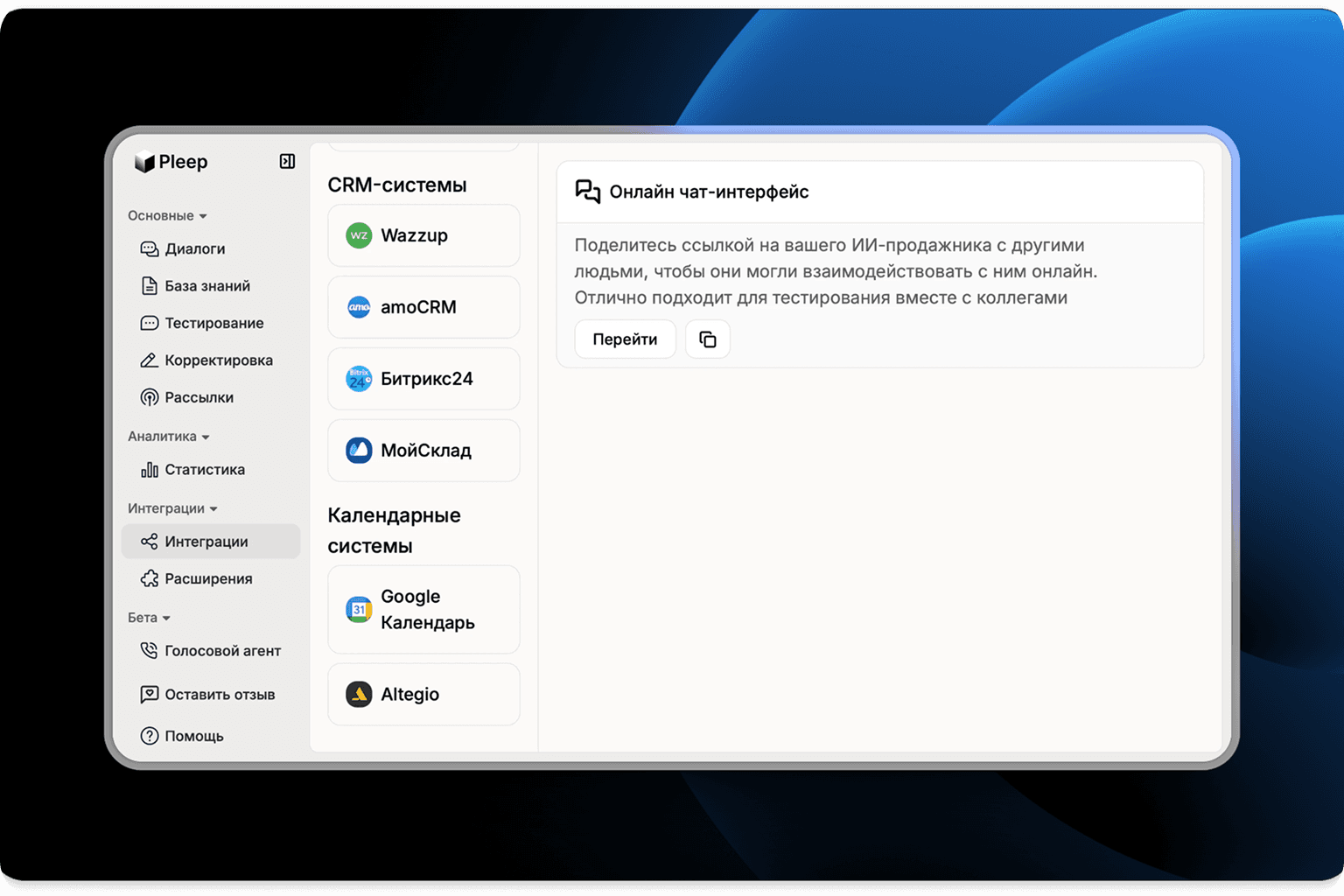
- Log into your Pleep dashboard, go to the Integrations section, and select Altegio
- Connect your salon: insert your salon_id from your Altegio account and click Connect
- Make a test booking — the AI assistant will offer available time and book the client in the system
Connection takes 5 minutes. After that, the AI salesperson will accept requests, offer available slots, and create bookings automatically.
Connect Altegio integration in Pleep
Part 2: Conversation Tags for Request Management and Prioritization
The Problem: Chaos in Your Request Feed
When all client conversations are mixed in one feed, teams waste time searching for priority requests. Important inquiries from new clients or VIPs get lost among routine questions. Managers open dozens of chats to find what requires an immediate response.
Create Custom Labels
Tags let you categorize conversations with labels that match your workflow. Examples: "new client," "needs attention," "technical question," "VIP," "ready to buy." You can create any categories that help your team work faster.
Color Coding for Visual Control
Assign colors to tags — red for urgent, green for processed — and apply them through the conversation context menu with one click. When a manager opens the conversation list, priorities are immediately visible.
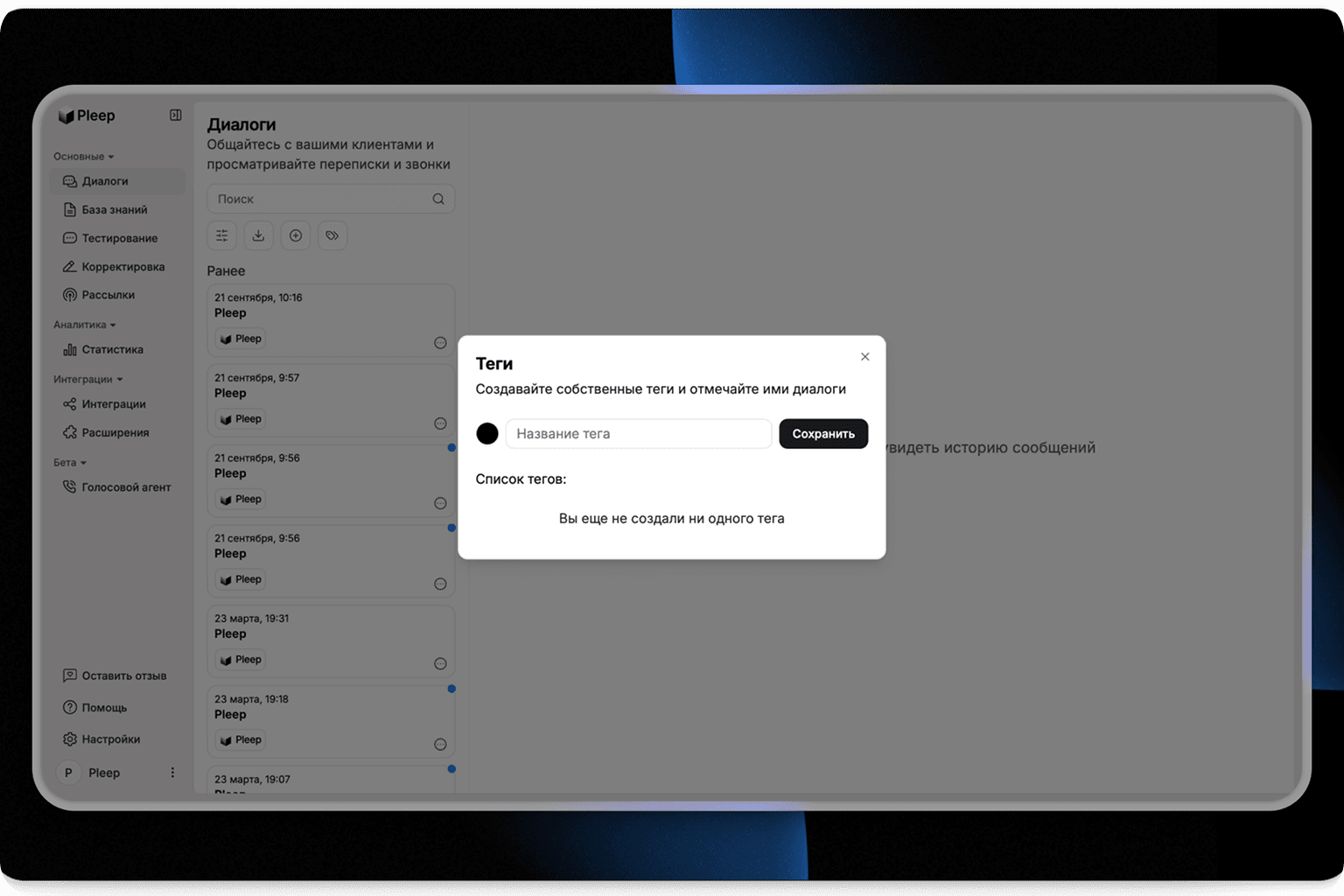
Quick Filters and Request Queue
Sort conversations by tags and process priority ones first. The AI assistant can automatically tag conversations if you set up rules, and the team fine-tunes manually. This creates a systematic workflow where nothing falls through the cracks.
Practical Impact of Tags
- The team sees which requests are more important and closes them faster
- Average processing time for priority requests decreases by 30-40%
- No one wastes time searching for the right chat in the general feed
Part 3: Quiet Hours — Protect Client Loyalty with Smart Scheduling
The Problem: Nighttime Messages Irritate Clients
Repeated client touches at night are a real problem. An AI salesperson or automated system might send a reminder at 11:00 PM or 2:00 AM. The client wakes up to a notification, gets irritated, and gives a low NPS score.
According to the Intercom Customer Service Trends report, messages during off-hours reduce client satisfaction by 15-20%. The solution is simple: schedule repeated touches to avoid disturbing clients during sleeping hours.
Set a No-Send Interval
Configure quiet hours — for example, 10:00 PM to 8:00 AM — when the system does not send repeated messages to clients. This protects against nighttime notifications and the complaints that follow.
Automatic Morning Rescheduling
All touches scheduled for nighttime are automatically delivered in the morning at a time you specify — for example, at 9:00 AM. Clients receive messages when they are awake and ready to engage, not when they are trying to sleep.
The NPS Impact
- No messages in the middle of the night — clients do not get irritated with the brand
- Repeated touches arrive at a convenient time when the client is ready to read and respond
- Complaints about "intrusive notifications" drop to zero
The AI salesperson respects quiet hours automatically without requiring separate configuration for each scenario. Managers focus on important conversations in the omnichannel inbox, not on sorting requests.
How to Set Up Quiet Hours in 2 Minutes
- Open "Extensions" in your dashboard, then go to "Repeated touches", then "Inactive hours"
- Specify the time interval (for example, 10:00 PM-8:00 AM) for your time zone
- Save settings — all nighttime messages will automatically be rescheduled for morning
Enable quiet hours and tags in Pleep
Part 4: How to Set Up Conversation Tags in 3 Minutes
- Go to the "Conversations" section in your Pleep dashboard
- Click the "Tags" icon, then create names (up to 20 characters) and choose colors for each category
- Apply tags through the conversation context menu and use filters to sort by priority
After setup, conversation management and sending schedules work automatically, without team involvement.
Putting It All Together: The Fully Automated Workflow
When you combine these integrations and tools, the result is a workflow that runs itself:
A client messages your salon on WhatsApp at 11 PM. The AI assistant responds instantly, offers available booking slots pulled from Altegio, and creates the booking — all while your admin is asleep.
The conversation is automatically tagged as "new booking" so your team can see it in the morning feed at a glance.
The AI does not send a follow-up confirmation at midnight. Instead, quiet hours hold the message until 9 AM, when the client receives a friendly reminder about their upcoming appointment.
The day before the visit, an automatic reminder goes out. The client confirms. No-show risk drops dramatically.
In your analytics dashboard, you can see the entire funnel: how many bookings were created, confirmed, and completed. Where the dropoff happens. Which services are most popular. What questions clients ask most often.
This is what real automation looks like — not just an AI that chats, but a complete system that manages the entire client lifecycle from first message to completed visit.
FAQ
Can Pleep book appointments automatically without an administrator?
Yes. With the Altegio integration, the AI assistant pulls available time slots in real time, offers them to clients in chat, and creates bookings automatically. It also sends reminders before the appointment. No administrator involvement is needed for the entire booking flow.
What are quiet hours and why do they matter?
Quiet hours prevent your AI assistant from sending messages during nighttime or other sensitive hours. Instead of waking clients with a midnight confirmation, the system holds the message until a reasonable time. This protects client loyalty and prevents NPS-damaging late-night notifications.
How do conversation tags help my business?
Tags let you automatically categorize conversations — for example, marking new bookings, complaints, or hot leads. This means your team can instantly see which conversations need attention first when they open the inbox in the morning, reducing processing time by 30-40%.
The Bottom Line
Each integration and tool in Pleep solves a specific, costly problem:
| Tool | Problem Solved | Business Impact |
|---|---|---|
| Altegio integration | Manual booking management | Fewer no-shows, 24/7 automated bookings |
| Conversation tags | Chaos in request feed | 30-40% faster priority request processing |
| Quiet hours | Nighttime notifications irritating clients | Higher NPS, zero notification complaints |
Together, they transform your AI assistant from a simple chatbot into a complete business operations tool. Less manual routine, higher client satisfaction, faster processing of everything that matters.
Create your AI assistant today on Pleep and get 7 days of trial access.