Outreach that doesn't end at "sent."
Send templates in WhatsApp Business through Meta's official API, message from a personal Telegram account, or launch a voice-agent call campaign. In a new conversation, AI can pick up the reply: answer questions, qualify, book or hand off to an operator. Not a blast. A conversation starter.
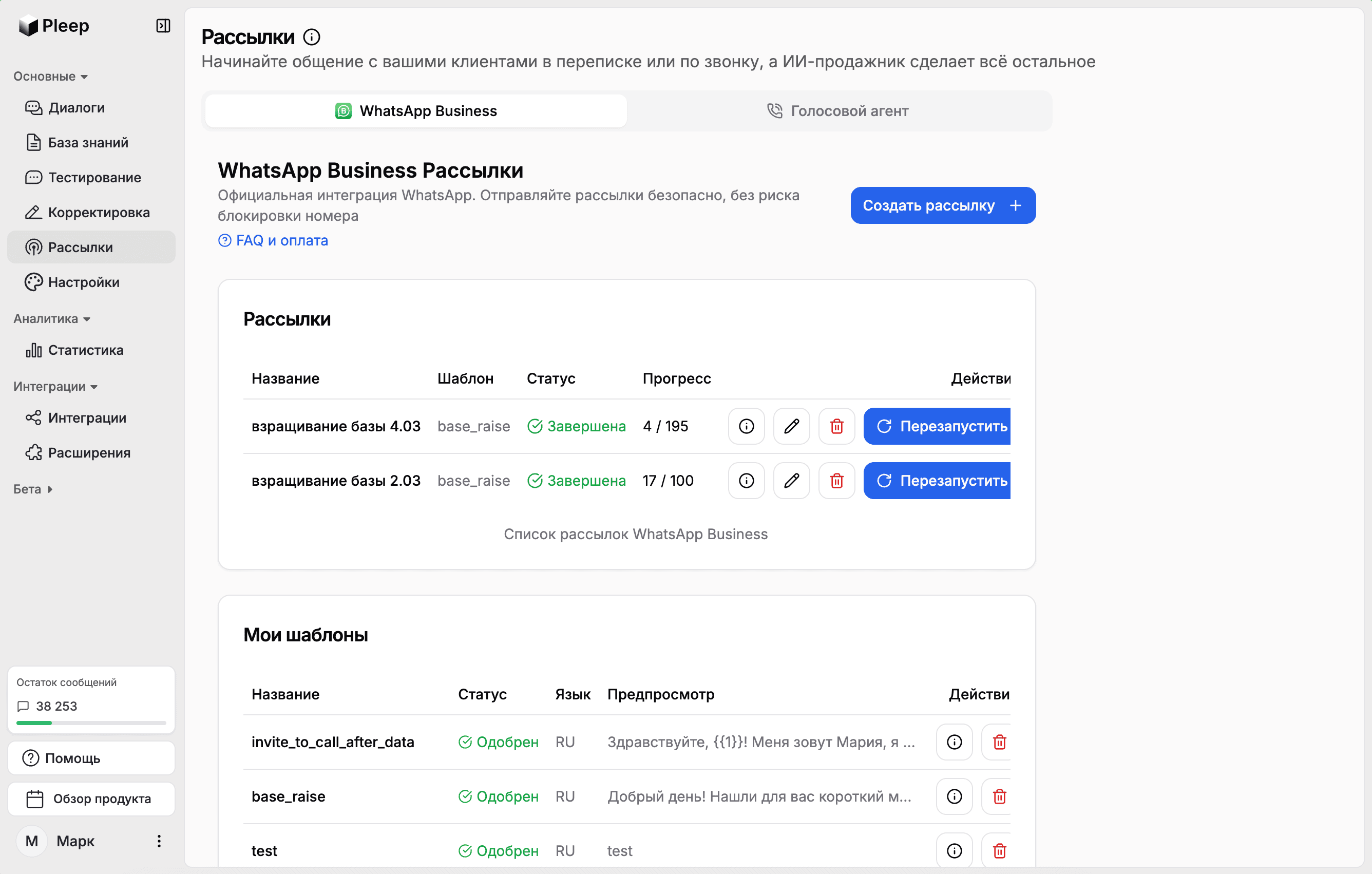
Three channels. One brain.
All three live in one Broadcasts section and can use the same AI agent and knowledge base. Sending method, limits, analytics and handling of existing conversations vary by channel.
WhatsApp Business
Official integration through the WhatsApp Business API (Meta Cloud API). The first message is a Meta-approved template; in new conversations AI handles replies when auto-response is enabled. Consent and list quality still matter.
Telegram
Broadcast from your personal Telegram account by username, phone or id. Messages go out with pauses, a daily cap and working hours to reduce restriction risk, but they cannot eliminate it.
Voice Agent
Call a list two ways: through telephony or as a WhatsApp call. Upload a spreadsheet of numbers, set a greeting and instructions, and the agent runs the conversation by voice.
Official WhatsApp Business API, not a grey QR gateway
Unauthorized bulk messaging from regular WhatsApp or grey QR services can lead to number restrictions. Pleep runs on the WhatsApp Business Platform with approved templates; recipient consent and message quality are still required.
Your number stays in your app
Connection goes through Meta's Embedded Signup in coexistence mode: WhatsApp Business on the phone keeps working, and messages sent from the phone show up in Pleep. No separate number is needed for text broadcasts.
Templates pass Meta review
A new template built in Pleep uses the Marketing or Utility category; existing templates created in Meta can have another category. Add a text, image, video or document header, a footer, up to three buttons and variables. Meta says review can take up to 24 hours. Pleep checks the status and will not launch an unapproved template.
Pay Meta directly, no markup
For a delivered marketing message outside the free 72-hour entry-point window, Meta charges its own price to the payment method in Meta Business Manager. For Kazakhstan that is roughly 30-40 tenge per recipient at the current exchange rate; a separate rate card starts 1 October 2026. Pleep takes no commission on broadcasts.
Meta's limits grow with quality
Meta sets the limit per business portfolio over a rolling 24 hours: a new portfolio starts at 250 unique recipients, then the tiers are 2,000, 10,000, 100,000 and unlimited. The first step up comes from verification or 2,000 delivered messages using high-quality templates outside service windows to unique users in a rolling 30 days. Free-form replies inside open windows do not count.
What happens when a customer replies
When a broadcast creates a new conversation, its message becomes the agent's first line and the customer's reply lands in the same thread. If a conversation with that customer already exists, Pleep reuses it with its existing settings.
A reply opens the 24-hour window
A customer message opens a 24-hour service window, and the AI agent replies in it with ordinary messages. Until 30 September 2026, free-form replies and utility templates in the window are free at Meta. From 1 October 2026, Meta charges for utility templates and for free-form replies beyond 1,000 delivered per business number each month. Marketing and authentication templates are chargeable in both periods.
AI answers from your knowledge base
The agent answers questions about price, availability and terms from the knowledge base, establishes what the customer needs and qualifies them. With Altegio or Google Calendar connected it books them into a live calendar. With Kaspi connected it issues an invoice using the customer's phone number for payment in the Kaspi app; with MoySklad it checks stock.
A new conversation can enter the CRM on first reply
For a new broadcast conversation, Pleep can defer CRM creation until the first reply. If amoCRM or Bitrix24 is connected and enabled for that channel, it then creates a deal with the conversation. An existing conversation keeps its existing CRM link.
An operator steps in when needed
New broadcast conversations use an "AI responds automatically" switch: turn it off and the reply goes to an operator. Automatic handoff works when enabled in the agent settings. Existing conversations keep their prior mode; new ones can stay out of monitoring until the customer replies.
Window closed, template again
If the customer goes quiet for a day, Meta rejects an ordinary message outside the window. Pleep can send an automatic follow-up only as a configured, approved template; free-form text is available again after a new customer message.
How sending works
No "thousands a minute" on paper. These are the real parameters of each channel.
WhatsApp Business
10 messages per second by default, with up to three technical send attempts. On a Meta billing error, account restriction or limit, the broadcast pauses and shows the reason. Once fixed, resume it; the separate restart action retries rows marked failed.
Telegram
Up to 30 messages a day from one account, 45-90 second pauses and sending only during working hours. These settings reduce Telegram restriction risk, but cold outreach can still trigger PEER_FLOOD or an account block.
Voice Agent
Telephony runs in waves of 10 parallel calls. In WhatsApp, the customer first receives a template asking permission and the call starts after consent. A normal missed call is retried with a separate manual action; the campaign closes after 24 hours.
Built for every outreach play.
Product launches
Announce a new product and let AI handle the flood of questions and orders.
Re-engagement
Wake up cold customers with a message and let AI re-qualify them.
Event invitations
Send invites and let AI handle confirmations, questions and reminders.
Seasonal promotions
Send the offer, then let AI close the deal while interest is hot.
Know what arrived.
A WhatsApp broadcast shows sent, delivered and read counts, with failures broken down by cause. One button copies numbers specifically marked failed, and those rows can be restarted. Telephony shows called and answered counts; WhatsApp calls show permission requests, permissions granted, calls placed and failures. Calls placed are not a count of completed conversations.
What Pleep broadcasts do not have
Better to say it now than to find out after connecting.
- Scheduling or delayed launch. A broadcast is created in advance and launched with a button.
- A stop list or unsubscribe inside Pleep. A customer who writes "stop" reaches the agent, and the agent's instructions must say what to do.
- Per-recipient variables in the interface. In the UI one variable value applies to the whole broadcast; a name in every message is passed through the API.
- "Replied" and "converted" metrics for text broadcasts. Replies are visible in dialogues and in CRM deals, not as a separate counter on the broadcast.
Which plan
The public plan matrix places WhatsApp broadcasts and voice campaigns on Business. A Business configuration with 1,500 text messages is around 68,380 tenge a month; voice-agent minutes are priced separately. Telegram broadcasts are available with an active subscription. Meta messages are paid separately, directly to Meta.
Frequently Asked Questions
When a broadcast creates a new conversation, its message becomes the first line in the thread. If the customer replies, AI can pick up, answer from the knowledge base, qualify and book. An existing conversation keeps its prior AI and CRM settings.
Yes. WhatsApp text broadcasts, including WABA templates and coexistence, accept manual recipients or a CRM selection. Pick a stage in Pleep's pipeline or a connected amoCRM or Bitrix24 pipeline, then load the matching phone numbers. The time filter means entry into a stage for Pleep, but last record update for an external CRM. Review the resulting list: a stage filter does not establish messaging consent, and loading recipients is not continuous audience synchronization.
Not for text broadcasts. Connection goes through Meta's Embedded Signup in coexistence mode: your number stays in the WhatsApp Business app on the phone, messages from the phone show up in Pleep, and broadcasts and AI replies run through the API. The one exception: for WhatsApp calls the number connects directly through the Cloud API and does not stay in the phone app.
Meta sets the price for delivered marketing messages outside the free 72-hour entry-point window. For Kazakhstan that is roughly 30-40 tenge per recipient. Pleep adds no markup. Until 30 September 2026, free-form replies and utility templates in the 24-hour window are free. From 1 October, Meta charges for utility templates and for free-form replies beyond 1,000 per number each month. Marketing and Authentication are charged in both periods.
Meta's rule: for 24 hours after the customer's last message you can write in free text; outside the window only an approved template. A broadcast always goes out as a template, and the customer's reply opens the window in which the AI agent holds a normal dialogue. After a day of silence a template is needed again.
Meta says review can take up to 24 hours. The status, "In moderation", "Approved" or "Rejected", is visible in Pleep, and a broadcast on an unapproved template will not launch.
Partly. Templates have variables, but in the interface one value is inserted into every message of the broadcast. Different values per recipient, such as a name, are passed through the Pleep API. A contact list with fields is not uploaded for text broadcasts.
No. A broadcast is created and edited in advance and launched with a button. There is pause and resume; the separate restart action retries recipients marked failed.
WhatsApp Business through Meta's official API, Telegram from a personal account, and the voice agent through telephony or as a WhatsApp call. New conversations can use the same AI agent and knowledge base, but behavior varies by channel and settings. There are no Instagram broadcasts.
For a new broadcast conversation, the "AI responds automatically" switch selects the mode; when off, the reply goes to an operator. An existing conversation keeps its prior mode. Automatic human handoff works when enabled in the agent settings.
For WhatsApp Business: sent, delivered, read, failures by cause and copying numbers marked failed. Telephony shows called and answered; WhatsApp calls show permission requests, permissions granted, calls placed and failures. Calls placed are not a count of completed conversations. CRM linkage depends on the channel, whether the conversation is new, and integration settings.
Stop blasting. Start selling.
Turn a broadcast into a two-way conversation. In new conversations AI can handle replies, and a connected CRM can create a deal after the first response.