Monitoring and Voice Message Improvements
What changed
We've updated conversation monitoring, improved voice message handling, and fixed several important bugs that affected the quality of AI agent responses.
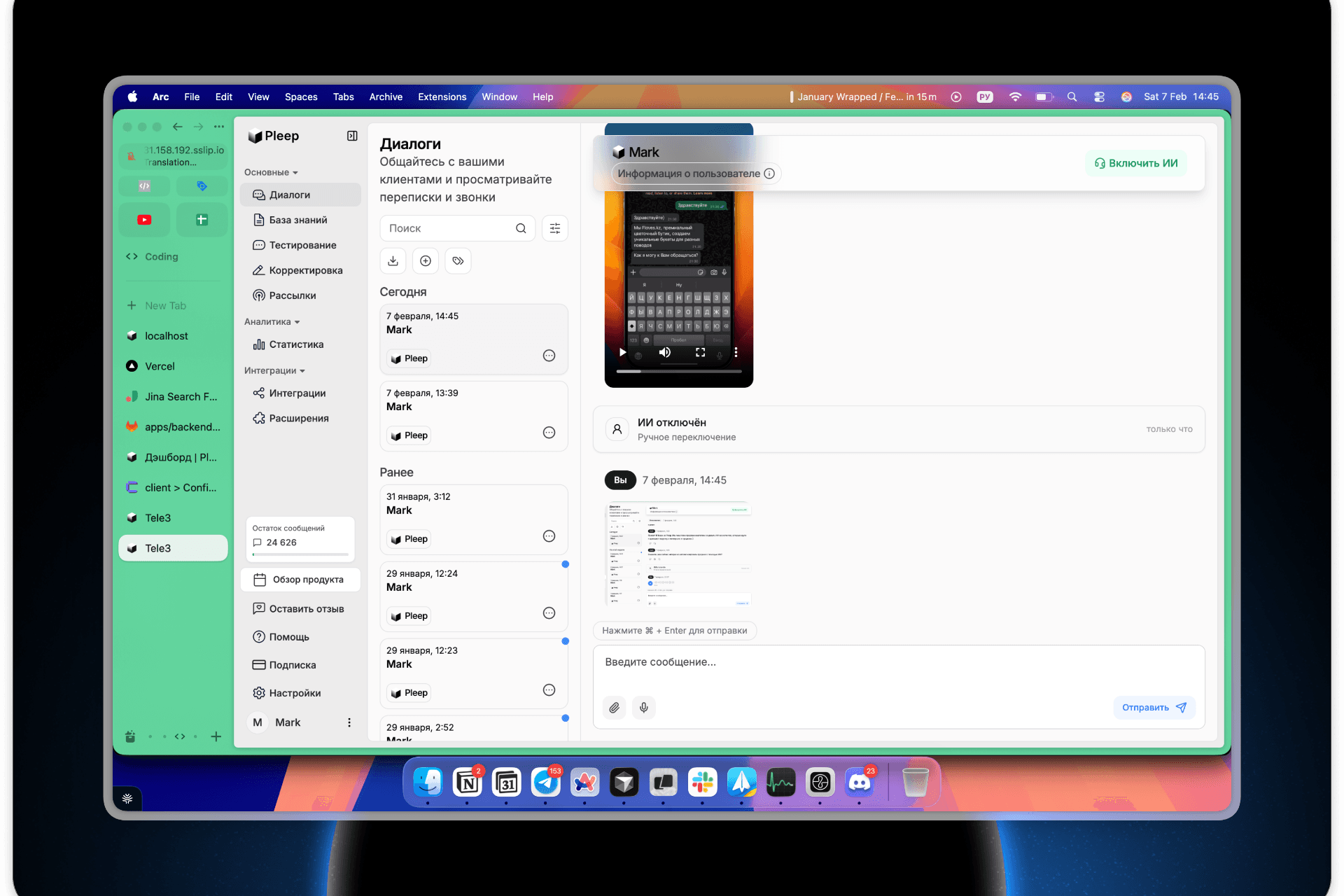
New features
AI toggle history in conversations
You can now see the full history of AI agent activity in the conversation monitor:
When the AI was enabled or disabled Who did it and how — automatically or manually The reason for handoff to a human operator, if the AI was disabled by a rule
This helps you understand why the AI stopped responding in a specific conversation and at what point the customer was handed off to a live operator. Especially useful for analyzing complex cases and fine-tuning automation rules.
Improved monitoring and testing interface
We've redesigned the conversation interface:
Video in chat — video messages from customers now play directly in the conversation window, no need to open separate tabs Better voice recording — redesigned the interface for recording and sending voice messages, making it faster and easier Improved player — updated the voice message playback component for smoother performance
Fixed a critical voice message bug
Previously, when processing voice messages, knowledge base search didn't work correctly — the AI could retrieve irrelevant fragments or fail to find the right information entirely.
Now voice messages are processed with the same quality as text messages. The AI correctly transcribes speech and searches for relevant information in your knowledge base.
Responses in the wrong language won't appear in the conversation Another customer's personal information won't leak through Responses that don't match the current context are filtered out
These checks now ensure that the customer only receives a relevant response.
What this means
Full transparency — see the complete AI activity history in every conversation Better response quality — fixed knowledge base search for voice messages Data security — improved validation prevents information leaks between conversations Better workflow — updated monitoring interface saves you time
The Pleep Team