Improved CRM Integration
What changed
We completely rebuilt the amoCRM integration from the ground up. The underlying architecture has been redesigned and the settings interface updated — connections are now more stable and setup takes less time.
New features
Automatic sync with your CRM
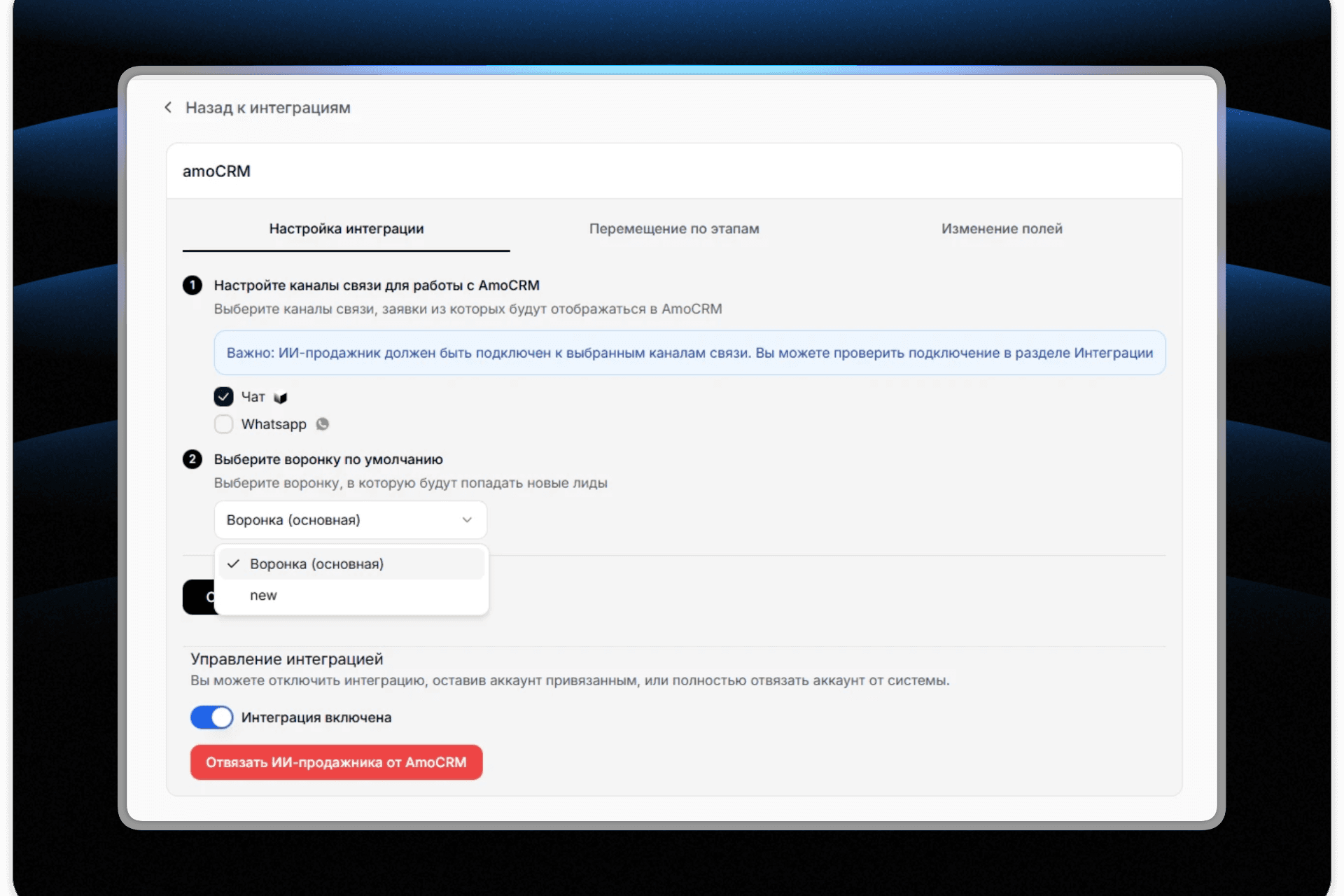
Previously, you had to manually copy pipeline names, stages, and fields from amoCRM. Now everything is pulled in automatically:
- Pipelines — view all pipelines from your amoCRM account in settings and select the one you need in a couple of clicks
- Stages — after selecting a pipeline, all its stages are automatically loaded for configuring movement rules
- Custom fields — the system displays all available fields from your CRM for auto-fill
Control AI communication at different pipeline stages
You can now control at which pipeline stages the AI agent should communicate with customers and at which it should stay silent:
- Configure for each stage whether the AI should respond to customers
- Disable automatic responses at critical stages (e.g., "Negotiations" or "Contract Approval") where a human manager is needed
- Enable the AI only where it is truly useful — at the initial qualification and consultation stages
Improved stage movement settings
Configure automatic deal movement through pipeline stages directly in the interface:
- Select a target status from the list of stages in your pipeline
- Set transition conditions (e.g., "At the start of a conversation" or "When the customer requests a quote")
- Create multiple rules for different scenarios
Flexible lead field auto-fill
The AI agent can now fill in any custom fields in amoCRM based on the conversation with the customer:
- Select a field to fill from the list
- Describe the condition for when and what to fill (e.g., "For the 'Source' field — when the customer mentions how they heard about us")
- The AI automatically extracts the relevant information from the conversation and fills in the field
Benefits
Less manual work — no need to switch between Pleep and amoCRM to look up pipeline and field names More control — you decide where the AI helps and where a personal touch from a manager is needed Reliable performance — the new architecture eliminates connection drops and sync errors Quick setup — connecting and configuring the integration now takes 3–5 minutes instead of 15–20
How to get started
- Go to Integrations → amoCRM
- If the integration is already connected, it will continue working automatically on the new architecture
- Configure field auto-fill and stage movement rules in the corresponding sections
- In the Stage Settings section, disable the AI on stages where it should not communicate with customers
If you have any questions, reach out to support and we will help you set things up.
The Pleep Team