Умный поиск в базе знаний
Что изменилось
Раньше ИИ получал фиксированные 5 фрагментов информации из базы знаний в начале ответа. Если нужной информации там не было — он либо выдумывал ответ (галлюцинация), либо переводил клиента на оператора.
Теперь ИИ может в любой момент диалога выполнить дополнительный поиск, если понимает, что ему не хватает информации для ответа.
Как это работает
Автоматический поиск при нехватке информации
Во время разговора ИИ-продажник анализирует, достаточно ли у него данных для ответа:
→ Клиент спрашивает о продукте, которого не было в начальном контексте — ИИ ищет информацию о нём → ИИ знает о продукте, но не знает цену или условия — ищет недостающие детали → Клиент задаёт уточняющий вопрос — ИИ ищет конкретную информацию по запросу
Пример работы:
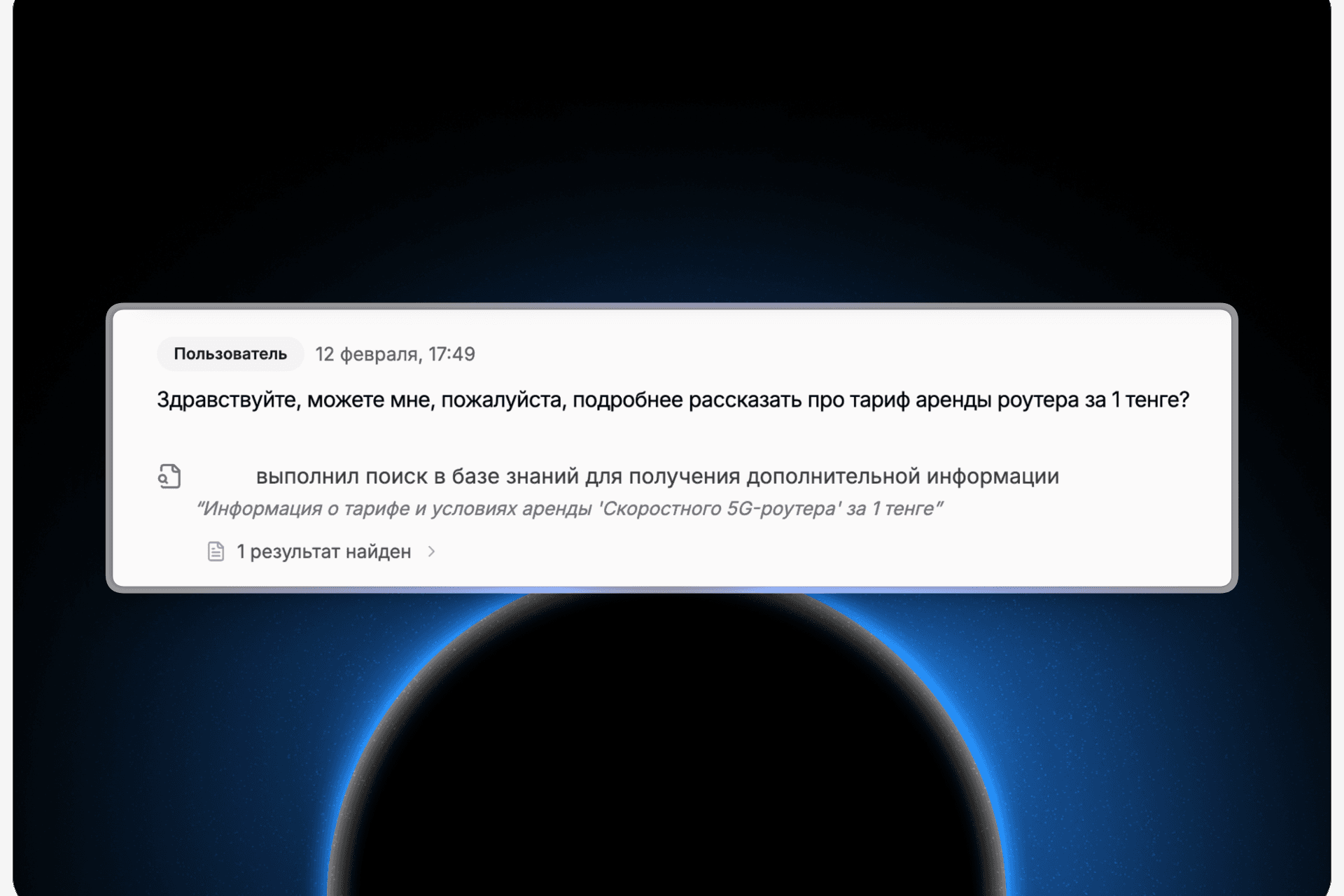
Клиент: "Здравствуйте, можете подробнее рассказать про тариф аренды роутера за 1 тенге?"
ИИ видит в мониторинге:
Затем ИИ отвечает клиенту полной информацией, найденной в базе знаний.
Настройка через корректировку
Вы можете указать ИИ, когда и что именно искать дополнительно:
→ "Когда клиент впервые пишет, всегда ищи актуальные условия скидок и акций" → "Если клиент спрашивает про доставку, найди точные сроки для его города" → "При вопросах о наличии товара всегда проверяй текущие остатки на складе"
Это даёт полный контроль над тем, как ИИ использует базу знаний в разных сценариях.
Что это даёт
→ Меньше галлюцинаций — ИИ не выдумывает информацию, а ищет её в вашей базе знаний → Меньше переводов на менеджера — ИИ закрывает больше вопросов самостоятельно → Точные ответы — клиент получает полную информацию, даже если вопрос сложный → Гибкая настройка — вы управляете поведением поиска через корректировку
Как это выглядит в мониторинге
В диалогах теперь отображается, когда ИИ выполнил дополнительный поиск:
→ Видна строка поискового запроса, который сформулировал ИИ → Показано количество найденных результатов → Можно раскрыть и посмотреть, какие фрагменты базы знаний были найдены
Это помогает понять, как ИИ работает с информацией и где нужно улучшить базу знаний.
Команда Pleep